PPP Haryana Family ID (Parivar Pehchan Patra): Login, Registration, Update

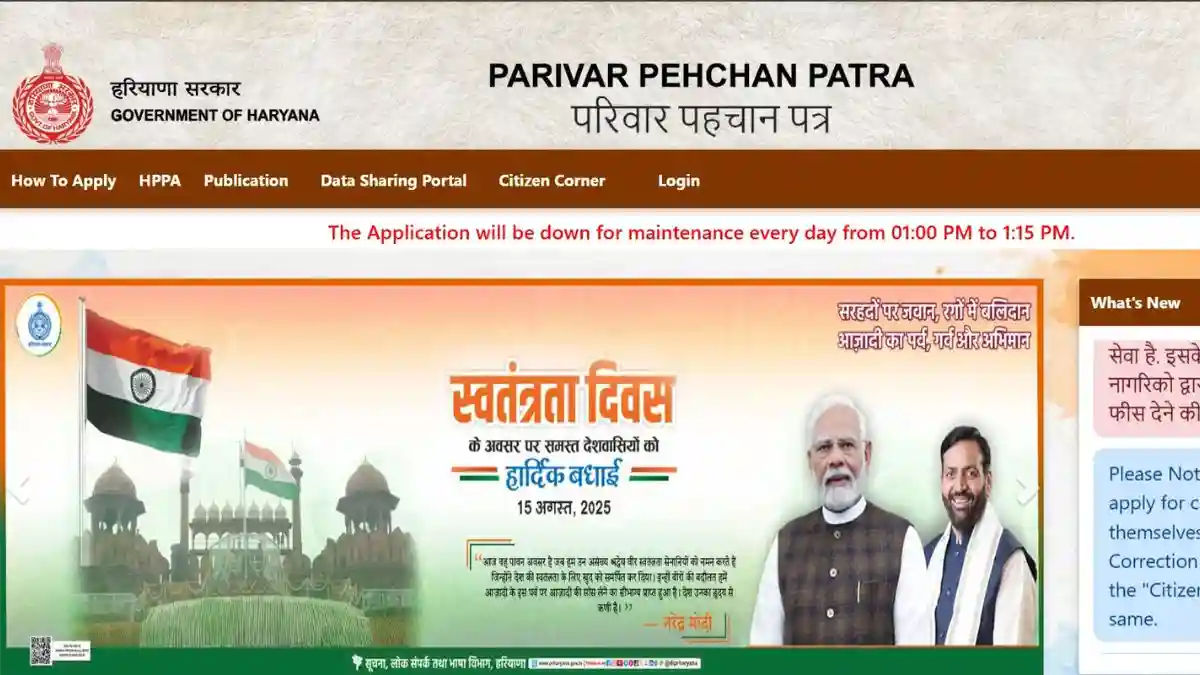
The Haryana Government has introduced the Parivar Pehchan Patra (PPP Haryana), commonly known as Haryana Family ID, to simplify access to government welfare schemes. With the PPP Haryana Family ID, citizens can avail benefits like pensions, ration card services, subsidies, scholarships, Ayushman Bharat, and many other schemes without repeatedly submitting documents.

Through the official PPP Haryana portal, residents can complete Family ID Haryana login, new registration, correction, update, status check, and download processes completely online.

🔔 Important Advisory for Citizens
Use only the official PPP Haryana websites: ppp-office.haryana.gov.in meraparivar.haryana.gov.in
❌ Never share your Aadhaar number, PAN card, OTP, or bank details on fake or unauthorized websites.
PPP Haryana Quick Buttons

Haryana Family ID Login (PPP Haryana Citizen Login)

To access services on the PPP Haryana portal, follow these steps:

Steps for PPP Haryana Login

  • Visit the official website: https://ppp-office.haryana.gov.in/
  • Click on Citizen Login.
  • Select Yes if you already have a Family ID.
  • Enter your Family ID number.
  • Verify using the OTP sent to your registered mobile number.
  • After OTP verification, you will reach the Haryana Family ID dashboard.

How to Register for Haryana Family ID (PPP Haryana Registration)

If you do not have a Family ID Haryana, you can apply online.
The full form of PPP is Parivar Pehchan Patra.

  • Permanent Family ID: 8 digits (Haryana residents)
  • Temporary Family ID: 9 digits starting with T

Step-by-Step Haryana Family ID Registration

Step 1: Visit Official Portal

Go to https://ppp-office.haryana.gov.in/

Step 2: Choose New Registration

Click Citizen Login → Select No (If Family ID not created).

Step 3: Enter Aadhaar Number

Enter the Aadhaar number of the family head.
OTP will be sent to the Aadhaar-linked mobile number.

Step 4: Verify OTP

Enter OTP to authenticate Aadhaar details.

Step 5: Fill Personal Information

Auto-fetched details will appear from Aadhaar. Add remaining details:

  • Name (English & Hindi)
  • Date of Birth & proof
  • Gender & marital status
  • Place & duration of residence in Haryana
  • Mobile number (mandatory)
  • Email ID (optional)
  • Caste category & proof
  • Disability details (if applicable)
  • Voter ID & PAN card (optional)
  • Annual income & source

Step 6: Upload Required Documents

Upload clear PDF files (under 200 KB):

  • Aadhaar cards of all family members
  • Age proof (Birth/Matric certificate)
  • Address proof (Electricity bill etc.)
  • Voter ID (for adults)
  • Income / caste certificate (if required)
  • Bank passbook (for DBT)
  • PAN card (if available)

Step 7: Add Family Members

Enter details of:

  • Father & Mother
  • Spouse (if married)
  • Children
  • Address & property details

Step 8: Review & Submit

Check all details carefully and submit the form.

Step 9: Save Temporary Family ID

After submission, a Temporary Family ID (T-number) will be generated. Save or screenshot it for tracking.

Documents Required for PPP Haryana

  • Aadhaar cards
  • Mobile number of family head
  • Address proof
  • Age proof
  • Voter ID (if applicable)
  • Bank account details
  • Income / caste certificate (if applicable)

📌 PPP Haryana registration is completely free. Verification usually takes 10–30 days.

Update Haryana Family ID (Correction & Modification)

Citizens can update their PPP Haryana Family ID online for changes or corrections.

How to Update Family ID Haryana

  • Login using Family ID & OTP
  • Go to Update Family Details / Correction Module
  • Choose update type:
    • Add new family member (birth/marriage)
    • Remove member (death)
    • Correct name, DOB, education, occupation
    • Update address or mobile number
    • Update bank details
  • Upload supporting documents
  • Submit and verify with OTP
  • Track update status using reference number

Check Haryana Family ID Status Online

To check PPP Haryana application status:

  • Visit https://meraparivar.haryana.gov.in/
  • Click on Status Check
  • Enter Family ID / Application number / Mobile number
  • View current status:
    • Processing
    • Approved
    • Pending
    • Rejected

If rejected, correct the details and resubmit.

Download Haryana Family ID (PPP Haryana PDF)

To download your Family ID Haryana:

  • Login at https://meraparivar.haryana.gov.in/
  • Go to Citizen Corner
  • Click Print / Download Family ID
  • Save PDF or take printout
  • Sign, scan (under 200 KB), and upload if required

Why PPP Haryana Family ID Is Important

Benefits of Parivar Pehchan Patra Haryana:

  • One-time family data submission
  • Easy access to government schemes
  • Faster pension, ration & scholarship benefits
  • Online tracking of benefits
  • Reduced fraud through verified data
  • Linked with ration card, certificates & welfare schemes
🔐 Safety Tips for PPP Haryana Users
✔ Use only official websites ✔ Keep OTP & passwords confidential ✔ Log out from shared devices ✔ Update family changes on time ✔ Do not pay anyone

Frequently Asked Questions (FAQs)

Who can apply for Haryana Family ID?

Permanent residents of Haryana.

How long does PPP Haryana verification take?

Around 10–30 days.

Can Family ID Haryana be updated online?

Yes, additions and corrections are allowed.

What if I forget PPP Haryana login details?

Use registered mobile number for OTP login.

Which schemes use PPP Haryana?

Ration card, pension, scholarships, housing, Ayushman Bharat, and more.